Weather Station
Download Weather Station
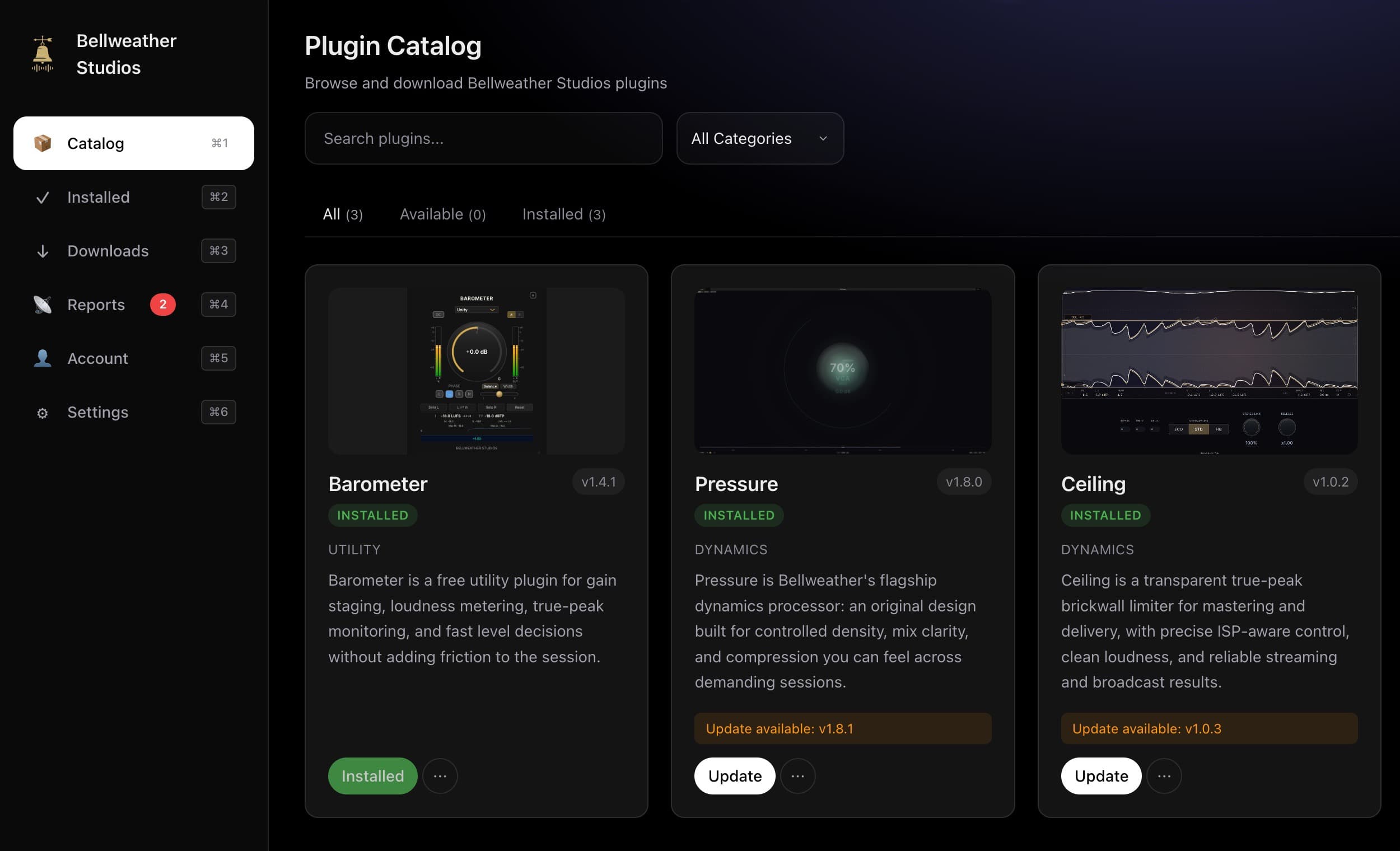
Your command center for every Bellweather plugin. Browse, install, update, and manage - all in one place.
Requires macOS 11.0 or later
What's new in 0.8.3
Fixed
- Updating a plugin now replaces an existing administrator-owned VST3, Audio Unit, AAX, or CLAP installation without failing on macOS's trusted
/varsystem alias. - Failed multi-format replacements still restore the complete previous plugin set. Weather Station never reports the new version until the installed files and ownership receipts converge.
- After a complete app restart, an externally installed current plugin is detected at its installed version instead of prompting for an unnecessary rebuild or reinstall.
Security
- The privileged helper admits only the exact macOS
/varalias before opening every remaining transaction and backup path component with no-follow descriptor traversal. Arbitrary ancestor and target-parent symlinks, unsafe ownership, and writable target parents remain blocked before copied bytes are created.
Changed
- An app-only update from 0.8.2 now shows the existing repair notice until the current signed PKG installs the fixed helper. Running that PKG preserves Weather Station settings, License receipts, downloads, and installed plugins.
Windows and Linux
Also on Windows and Linux
Weather Station for Windows and Linux is coming soon. You can get Barometer as a signed Windows x64 VST3 installer now.
Weather Station for Windows is not public yet. For Barometer, use the signed direct installer below.
On Linux, make the AppImage a file you can run. Or install the deb.
What's Inside
Everything You Need, One App
Plugin Catalog
See the live catalog, current versions, and what you can install right now.
One-Click Install
Install plugins straight to your VST3, AU, AAX, and CLAP folders when those formats are ready. No moving files by hand.
Automatic Updates
Get updates in the same place you install. Weather Station handles versions and delivery for you.
License Management
Manage your licenses right in the app. No more digging through installers and emails.
Direct installers. No account needed.
Plugins
Available in Weather Station
Browse the live catalog, install with one click, and stay up to date. This is the main way to get Bellweather plugins.
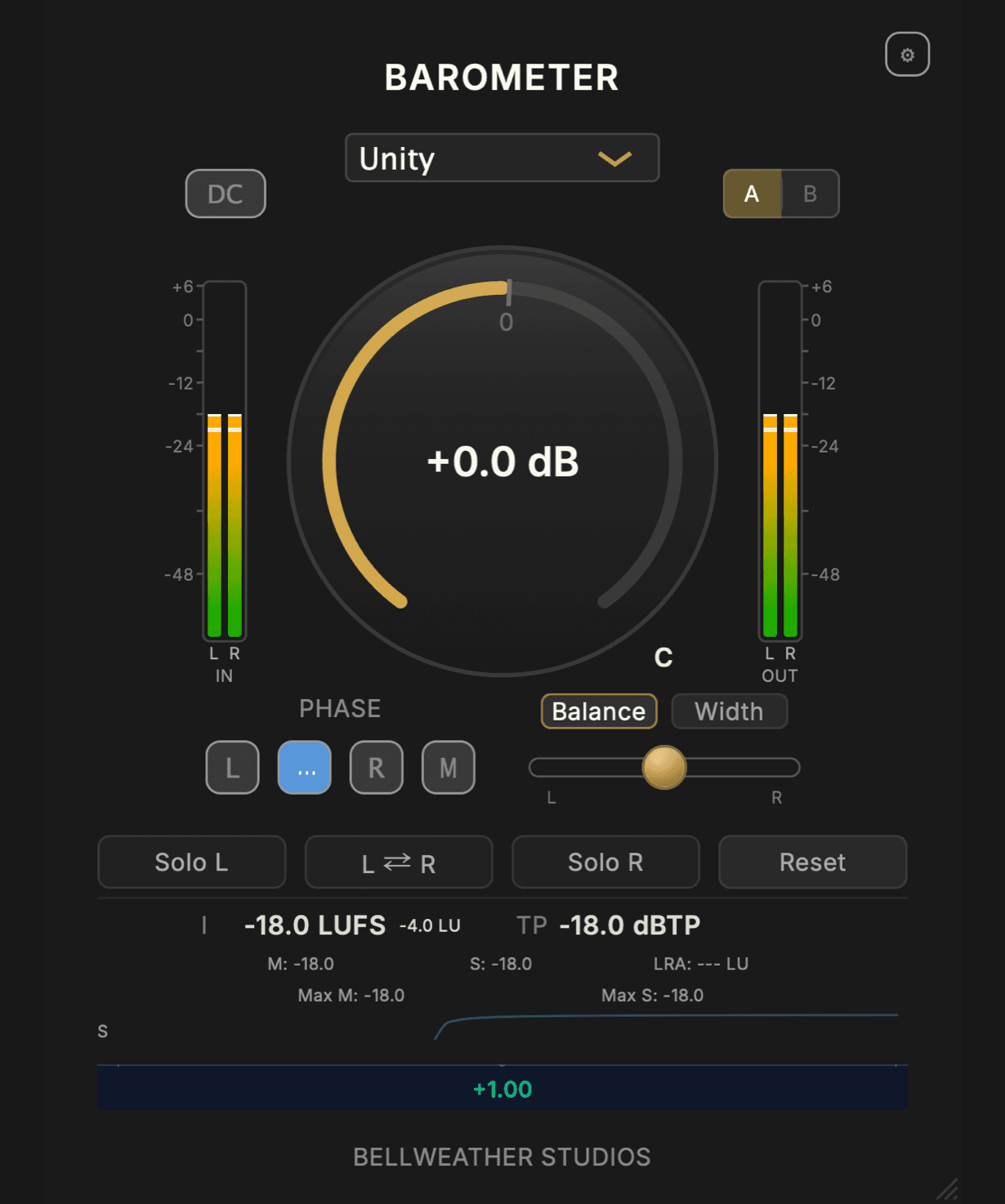
Barometer
Barometer is a free utility plugin for gain staging, loudness metering, true-peak monitoring, and fast level decisions without adding friction to the session.
Available in Weather Station
Pressure
Pressure is Bellweather's flagship dynamics processor: an original design built for controlled density, mix clarity, and compression you can feel across demanding sessions.
Available in Weather Station
Ceiling
Ceiling is a transparent true-peak brickwall limiter for mastering and delivery, with precise ISP-aware control, clean loudness, and reliable streaming and broadcast results.
Available in Weather Station
FAQ
Common Questions
Why Weather Station instead of direct downloads?
Weather Station is the main way to install on a Mac. You can also get Barometer for Mac or Windows. The Windows installer is signed.
What formats are supported?
Bellweather supports VST3, AU, AAX, and CLAP on macOS. Barometer 1.4.0 also supports VST3 on 64-bit Windows 10 or later. The formats you get depend on the product and release.
Is Weather Station free?
Yes. Always.
Windows and Linux support?
Weather Station for Windows and Linux is coming soon. Barometer 1.4.0 is available now as a signed Windows x64 VST3 direct installer.
Ready to get started?
Download Weather Station and start with Barometer. It is free.