Plugins/Barometer

Barometer

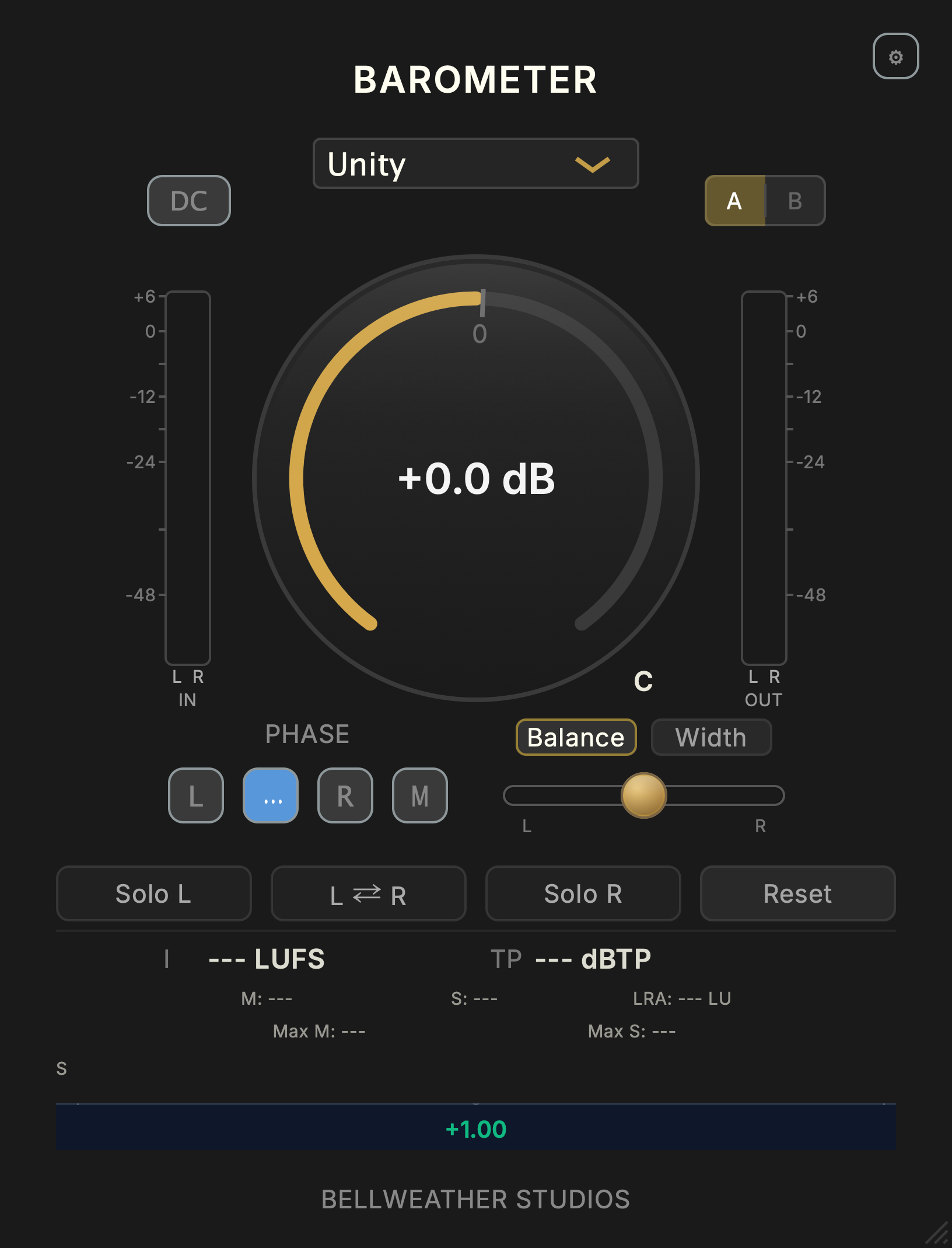
Gain, stereo control and metering.

Hear gain, trim, width and stereo controls on Bounce Back.

Play demo

Set your levels. Shape the stereo image. Keep loudness in view.

Free
No iLokDirect supportLifetime updates
Check compatibility ↓Explore the controls ↓

Inside Barometer

Set levels. Check your mix.

Gain + output Trim

One knob. Two level controls.

Set your gain with the main knob. When you need to adjust the output separately, Trim is right there.

Where is Trim?

Hold Shift and drag the main knob in Barometer. The center readout switches to Trim.

Stereo listening

Solo either side. Adjust the width.

Listen to left or right on its own. Adjust balance and width, then check how your mix holds together in mono.

Metering

Watch loudness and true peaks.

Follow loudness and peaks as the track plays. Check how the left and right channels relate, without opening another meter.
Add Barometer to your session.

Use Weather Station for Barometer on macOS, Windows, and Linux.

Free
Will it work in my setup?

macOS 11.0+ / Windows 10+ / Linux Ubuntu 24.04+

macOS: VST3, AU, AAX, and CLAP; Windows: VST3 and CLAP; Linux: CLAP